Overview
In CAS 360, shares held non-beneficially are those where the legal shareholder is different from the beneficial owner. CAS 360 allows you to record multiple beneficial owners for a non-beneficial shareholding using either of the methods below.
Why is this a common question
When downloading company information from ASIC, non-beneficial holders of shares are listed only once, holding the total number of shares. This is because ASIC does not record the names of beneficial owners; they only indicate whether a shareholding is beneficially held (YES/NO).
As a result:
If a shareholding has multiple beneficial owners but is recorded as non-beneficial with ASIC, CAS 360 imports it as a single shareholder.
CAS 360 cannot automatically detect multiple beneficial owners from the ASIC data. Clients often ask how to reflect multiple beneficial owners in CAS 360 because the imported data shows only one shareholder.
Recording Multiple Beneficial Owners in CAS 360
CAS 360 allows you to record multiple beneficial owners for a non-beneficial shareholding using either of the methods below.
Split the Shareholding into Separate Transactions
| From the Main Toolbar, go to Company. |  |
| Select the Company from the list. | 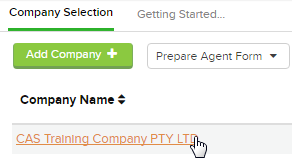 |
| Select Shareholders |
 |
Re-record the shares as multiple transactions under the same legal shareholder.
Assign a different beneficial owner to each transaction.
Ensure that each beneficial owner is correctly associated with their portion of the shares.
Use Joint Members
Simply edit the shareholding and update the beneficial owner to a joint member.
See How to create a Joint Member for instructions on creating a joint member.
To edit a shareholding
| From the Main Toolbar, go to Company. | |
| Select the Company from the list. | |
| Select Shareholders |
|
- Beside the shareholder, click
 .
. - Select Edit.