Form 361 Lodged - Client Query following

We have recently lodged a Form 361 removing a company from our CAS360 file. The client has now come back about a query from 3 years ago, and I hoped to see documents created and the history in CAS360. Is there a way to access this archived information? (Note, the company was only 'archived' recently.
Also, if we were to have the client sign a 362 and re-add, would this information 'return' or is it 'lost'?
Thanks in advance for any support!
0
-

Hi Fiona,
- Go to your deactivated companies - see snip below.
- Find the company (use the search bar at the top if needs be)
- Click on the green restore button on the right hand side.
- Then the company will be in your usual Company List and you can find the documents as needs be - no need to lodge any forms - it won't go back onto your ASIC agent list but the documents will be where they usually are.
- Once you find what you're looking for you can re-deactivate it.
I hope this helps.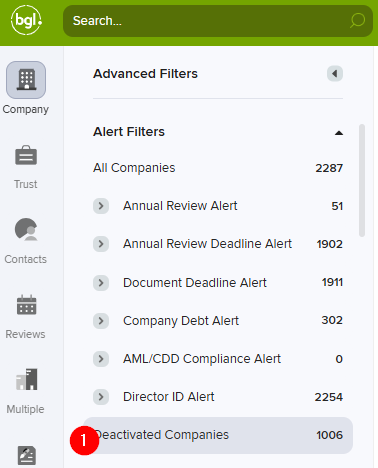
0
Please sign in to leave a comment.
Comments
1 comment