Matching CAS360 file with ASIC database information for a company

How do I do the above?
-
Official comment

Hi Gav,
Thank you for reaching out and creating a Community Post.
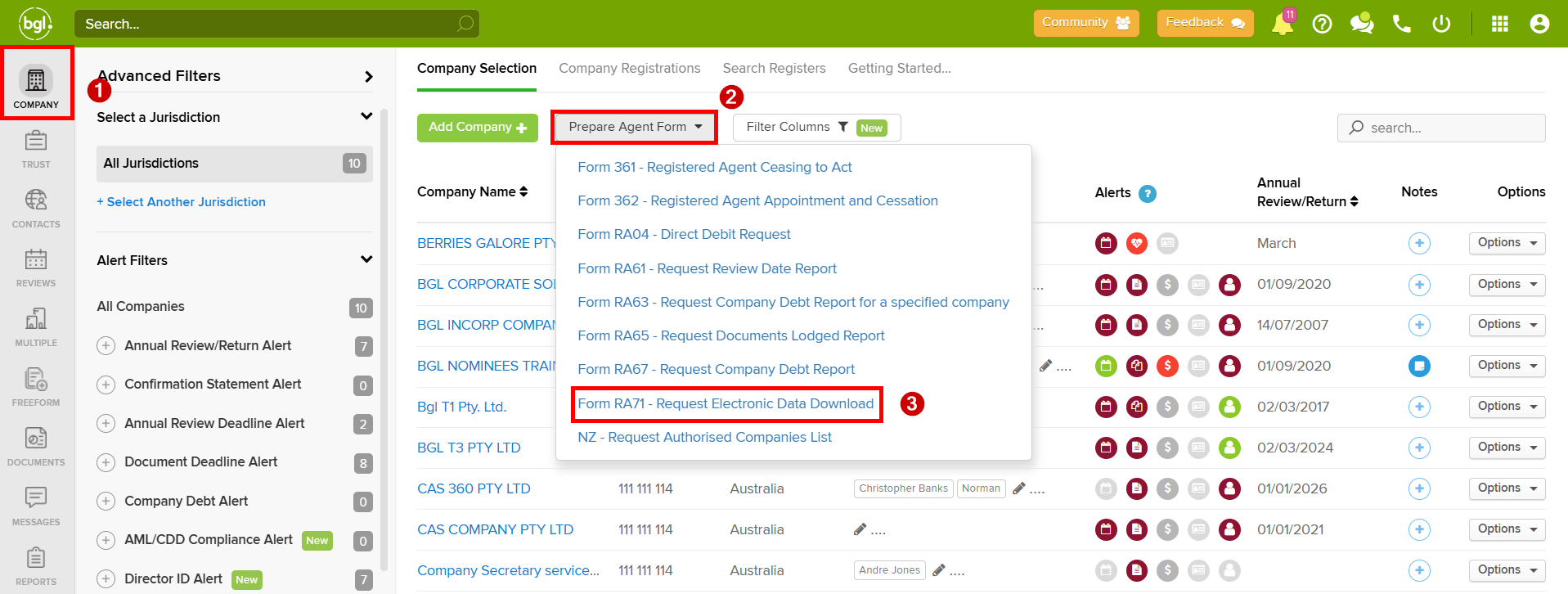
From the Company Selection screen, you can lodge Form RA71 - Request Electronic Data Download via Prepare Agent Form. This form requests company data held by ASIC.
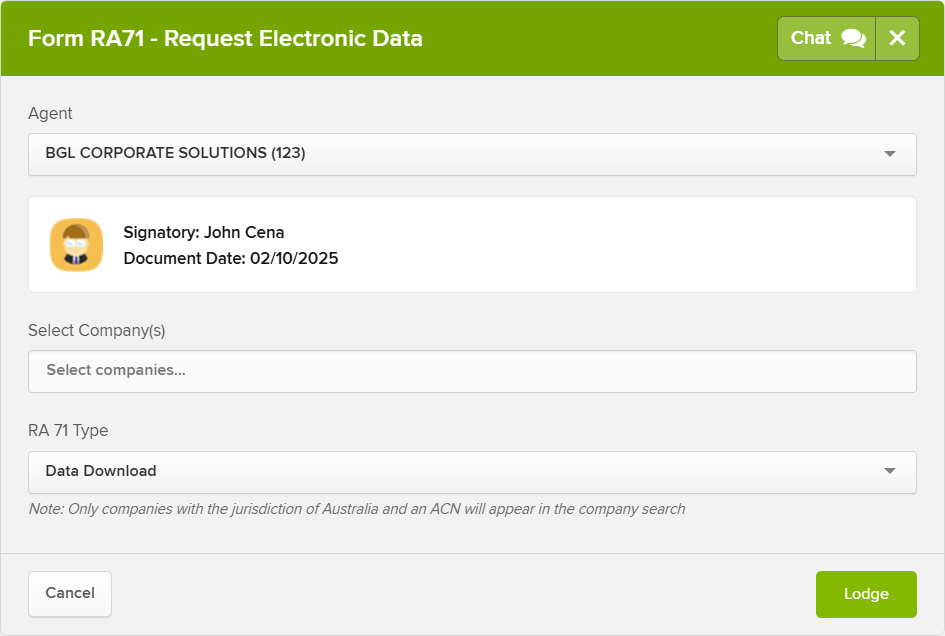
The next step is to select the company or companies that you would like to review.
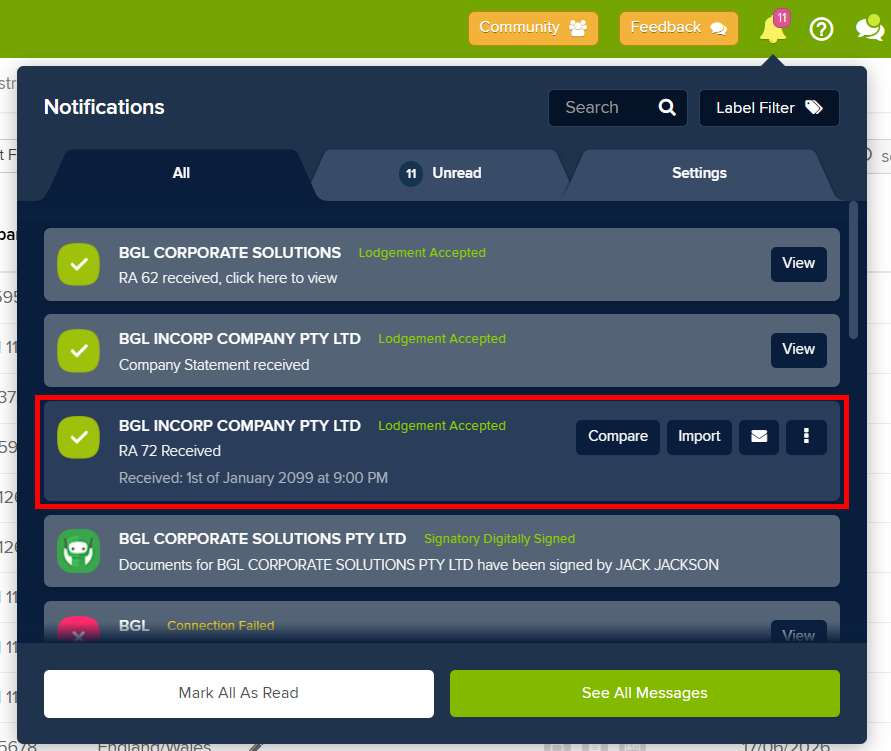
After successfully lodging Form RA71, you will then receive Form RA72 from ASIC. CAS 360 will notify you of this through the notification bell. After receiving the notification, you can then prepare the Comparison Report by selecting Compare.
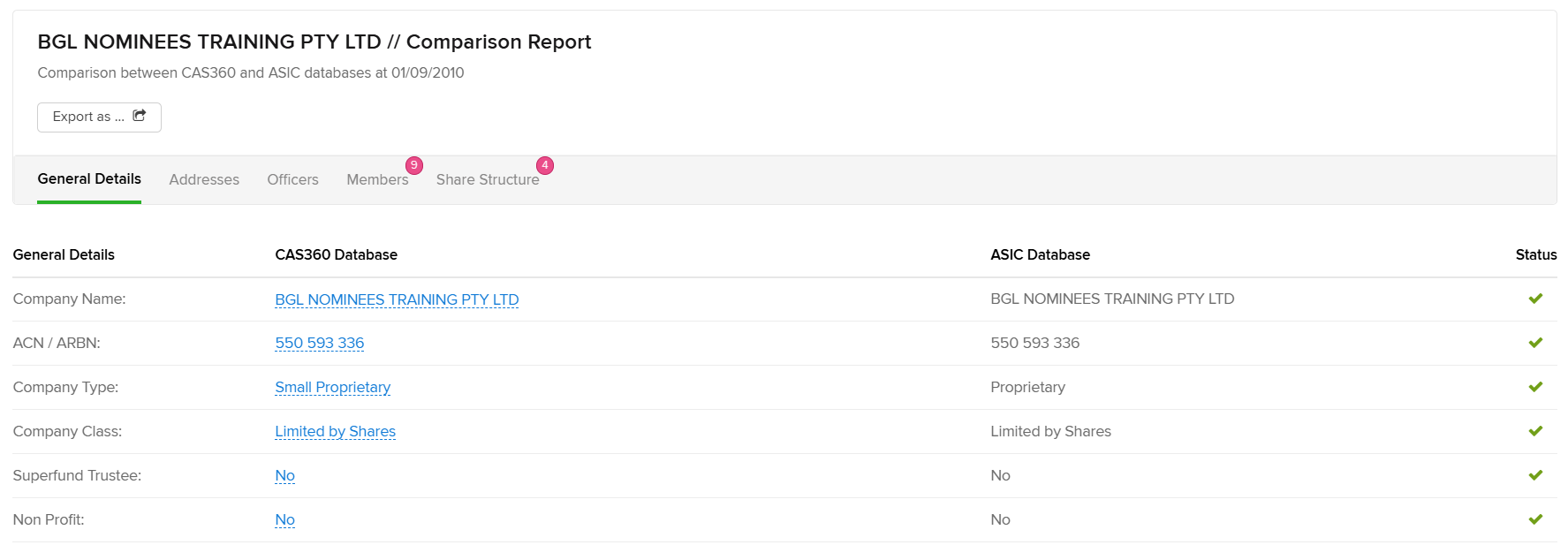
The Comparison Report will compare the databases of CAS360 and ASIC. If there are any mismatches, you will then need to decide which database is correct and take actions to correct the incorrect database.
 For more information, please read this article - https://support.cas360.com/hc/en-au/articles/360013367751-Form-RA71-Request-Electronic-Data-Download
 Please reach out if you have in further questions.
Please sign in to leave a comment.
Comments
1 comment