2fa

Can you set up 2fa on all documents to be signed when using fusesign the once? So you don't have to toggle on the 2fa toggle every document pack? Just toggle on it once somewhere so every time want to send a pack to whoever, it is toggled 2fa? Thanks
0
-

Hi Jason
Yes — the ‘Use SMS as 2FA for signatories’ toggle can be found in the Document Production screen under the Electronic Signing Options button.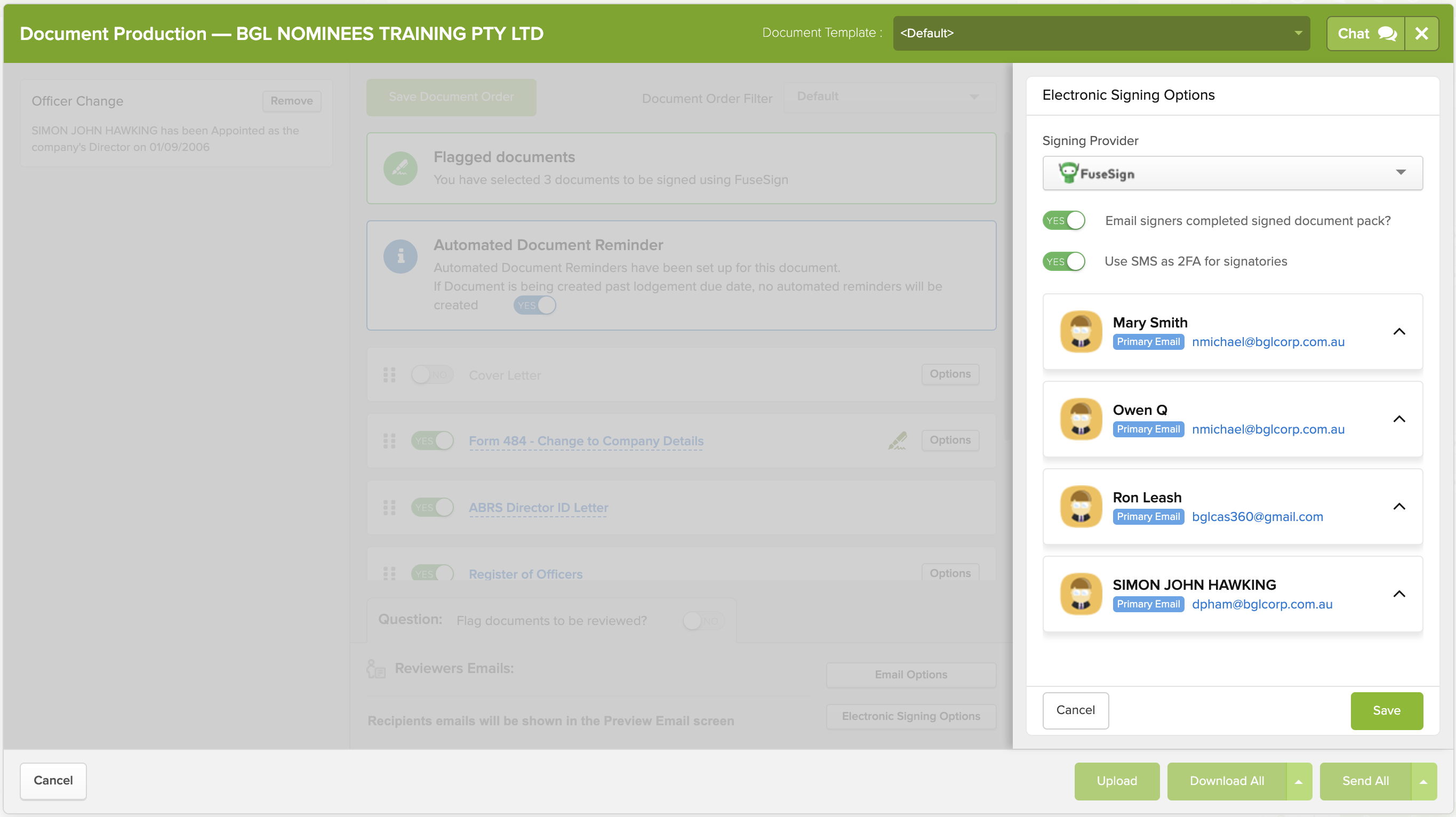
Once you toggle it on and then prepare documents by clicking 'Download All' or 'Send All', CAS 360 will remember your preference and automatically apply SMS 2FA to all future document packs you prepare for signing.However, this setting is user-specific. That means it will only default to SMS 2FA for your user account. Other users in your firm will need to enable the toggle and prepare documents themselves for the setting to stick.
0
Please sign in to leave a comment.
Comments
1 comment